
Almost isn’t good enough: Introducing VybBench, our Design Fidelity Benchmark
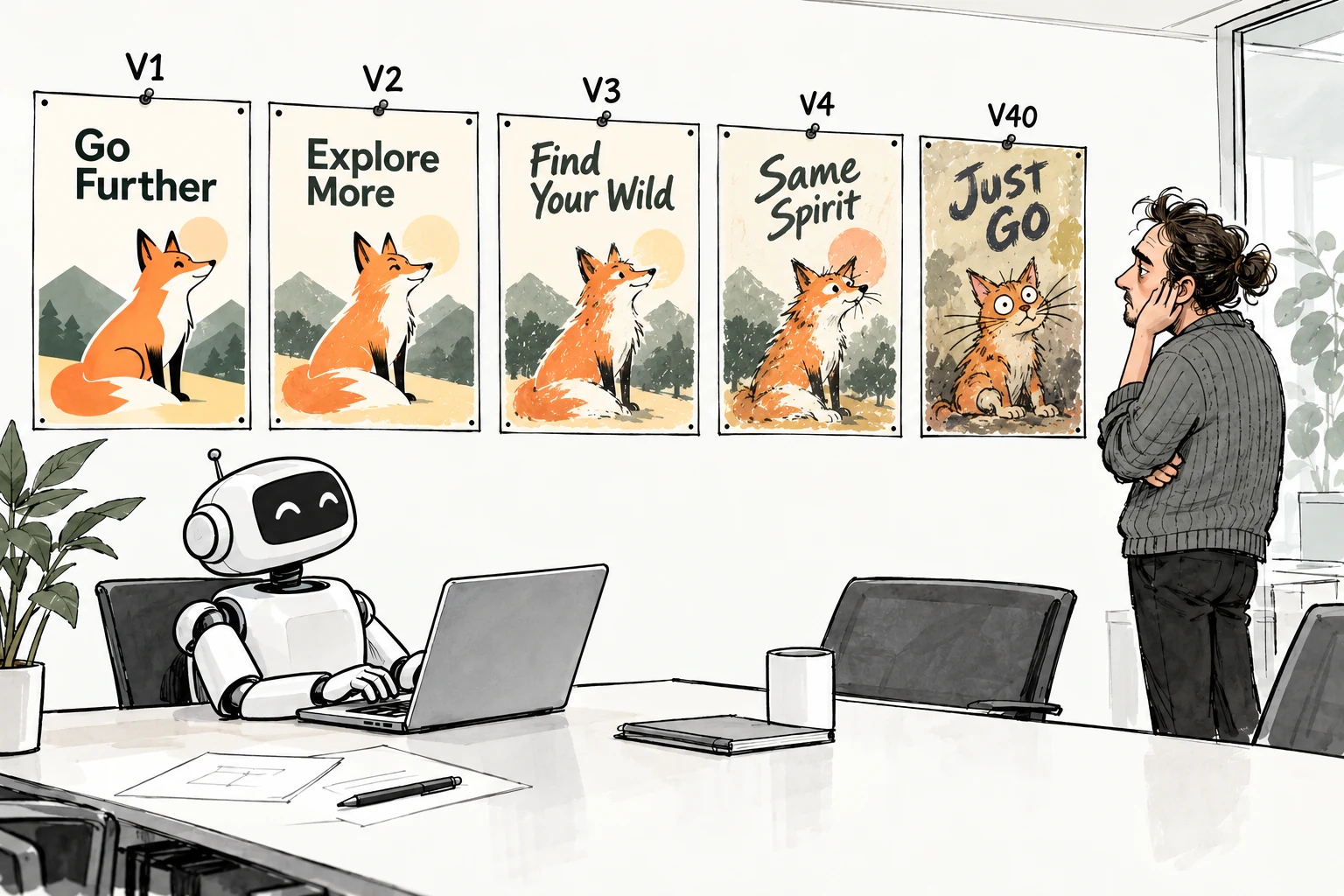
As a community, we increasingly favor subjective human preference ranking when comparing generative models. But solely focusing on this creates many blind spots. A critical one is fidelity to the user’s taste. What happens when a visual looks good but changes the user’s font, adjusts their color scheme, or makes unnecessary modifications to their images?
While human raters may miss this, users do notice. A question we often hear even with top-scoring models is “how many iterations till taste starts to drift?” As users iteratively edit the heading, change the widgets, and so on, subtle changes to the logo or other part of the image accumulate, until the visual no longer aligns with the user’s taste.
Objective metrics make this drift measurable. They quantify the magnitude of the change so we can understand how it will compound across multiple iterations.
We have developed a new benchmark, VybBench, to objectively measure how well models maintain fidelity to the user’s taste. Key aspects of a user’s taste include their fonts, colors, and imagery. So, this benchmark measures how well a model is able to:
- Generate words in a given font (font fidelity)
- Generate the desired color (color fidelity)
- Perform non-destructive edits that avoid changing parts of the image that should have been left unmodified (edit fidelity)
Methodology
Font Fidelity
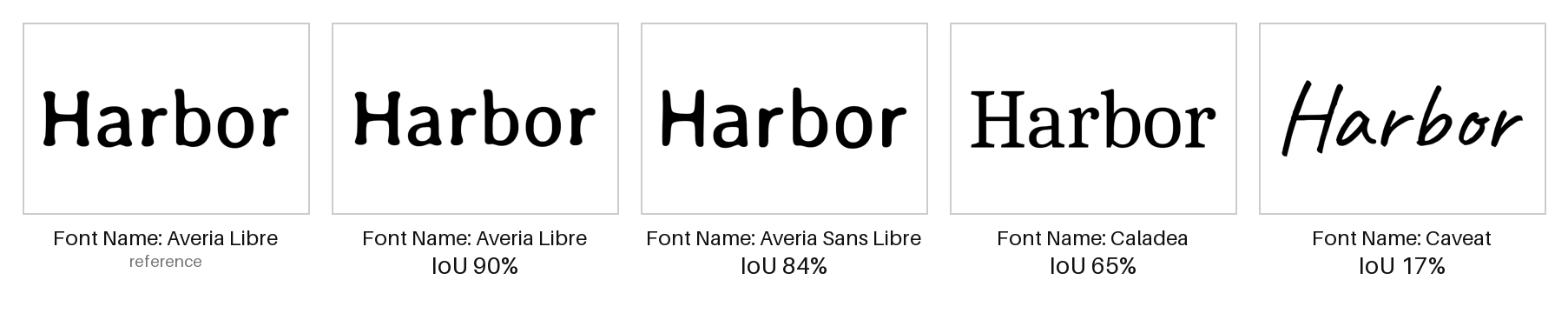
To quantify how well a model is able to generate words in a given font, we sampled 145 Google Fonts. For every font, we picked a different word for the model to generate. We used the Python Imaging Library (Pillow) to programmatically construct the ground truth. We then asked each model to generate the word in the specified font on a plain background. As every model was able to pick a different scale and position, we cropped and rescaled all of the outputs so as to maximally match the ground truth. Finally, we computed the Intersection over Union (IoU). This is the number of pixels that are ink in both the generation and the ground truth divided by the number of pixels that are ink in either the generation or the ground truth. A score of 100% means a perfect match.
As models are probabilistic, for each model, we performed three generations for each font and measured each result independently. A key limitation of this measurement is that rescaling, fixed resolutions, and antialiasing contribute to noise. We quantified this noise by measuring the IoU for different ground truth generations having different scales and positions. We obtained a mean IoU of 94.4%. Models that get close to this score are able to preserve font fidelity as well as this method can measure it.
The following provides visual intuition for how different fonts score in terms of IoU. As we can see, the greater the difference between the fonts, the lower the score.
Color Fidelity
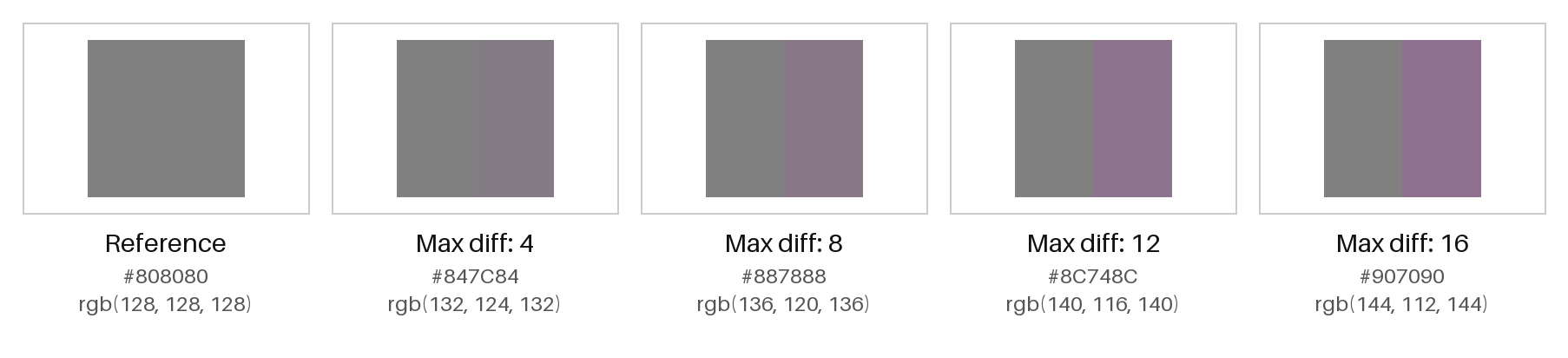
Similarly, to quantify how well a model is able to generate a specific color, we picked 100 different RGB hex codes. For each one, we asked a model to generate a rectangle with that specific hex code. We then used Pillow to compute the difference between the RGB value that was generated and the one that was requested. For each measurement, we take the absolute distance per RGB channel between the generated and requested values (out of 255) and report back the maximum across the three channels.
We chose the max across channels as any change to any channel moves the color away from the user’s specification. The following diagram provides intuition for how different maximum differences impact how the color is perceived.
Once again, since the models are probabilistic, for every model, we generated the same color three times and scored each measurement independently.
Edit Fidelity
Finally, to measure how well the model is able to perform surgical edits, we take the following approach. We start every model with its representation of the same input image. Layered models obtain the input in layers, while models that only accept flat images obtain their input as PNGs. We ask each model to perform the same edit. We then compute the number of pixels that have changed. To ensure each model is not gaming the system by returning the input image unchanged, we have an LLM reviewer judge whether the requested edit was performed.
We do this for 200 edits across a wide range of classes, including: color change, adding / removing an asset, modifying decor, replacing an image / logo, and changing text. As before, we generate three times for each edit and score each generation independently.
A natural question here is why we report the percentage of pixels changed. Earlier, we had attempted to define regions where change was appropriate or unacceptable for every edit. However, we quickly found that there was no scalable way to do this and our approach based on Segment Anything 3 was error-prone. Instead we adopted the approach described above where we independently report the percentage of pixels changed and the edit acceptance rate. We purposely record pixel changes of any magnitude to capture how the model would perform across multiple iterations.
The following provides intuition about how many pixels would change for different surgical edit types that were perfectly non-destructive. Red bounding boxes show what has changed:

Limitations
This benchmark has the following limitations. First, as Google Fonts are commonly used in online visuals, models have likely seen them before. Therefore it is less clear how they would perform on custom fonts. Second, as the benchmark currently evaluates a single edit, it does not capture the direction of the drift across multiple iterations. We plan to address both of these limitations in follow-on versions.
Give it a Try
We have hosted our benchmark on Hugging Face. Every prompt, raw output, judge verdict and the scorer is included. It can be rescored offline with one command. We invite you to take a look and contribute.